Sales
In the betaReps work the leads in their own Planet book: they bring it into GMT, call through it in the browser and log each result beside the lead's original card.
For insurance agency calling teams
GMT brings an agency's Planet lead book, browser calling and saved call results into one workspace. Sales is in an invite-only beta; Recruiting is in development.
Already invited? Sign in with the email your invitation went to. A request opens an email to the GMT team; it does not create an account or grant access.
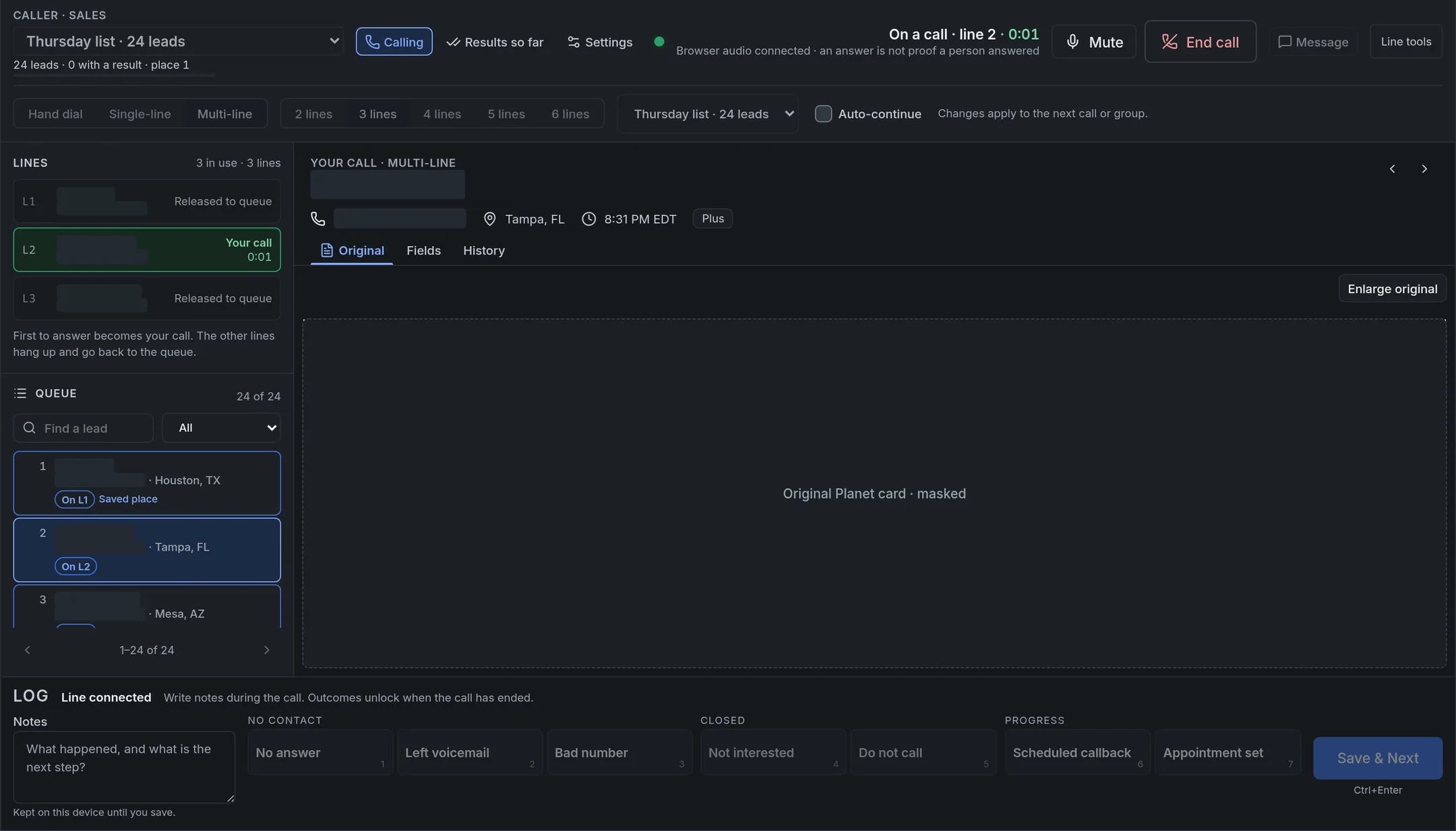
Built for insurance agencies whose reps spend the day on the phone: one place for the lead book, the calls and what happened on each one.
Reps work the leads in their own Planet book: they bring it into GMT, call through it in the browser and log each result beside the lead's original card.
Applicants from sheets and ads, checked for duplicates and do-not-call before anyone dials, then called, booked and followed through onboarding. Shown only in GMT's private demo so far.
Sales browser calling is in the beta; Recruiting is meant to use the same engine. Each rep calls from a GMT number assigned to them, and calls back to that number can be answered in GMT.
Four steps, named the way the app names them.
Scrape
The GMT Planet Reader, a Chrome and Edge extension, reads your own Veteran and Plus leads from Planet, original cards included. You review the capture in GMT before saving it.
Call
Open a list in Caller and call from the browser: by hand, one line at a time, or two to six lines at once. The first lead to answer is yours; the other lines go back to the list.
Log
Notes and one-press outcomes such as No answer, Scheduled callback or Do not call sit next to the original card. Save & Next opens the next lead.
Done
GMT keeps your place in the list and the day's saved results. Updating Planet is still a manual step.
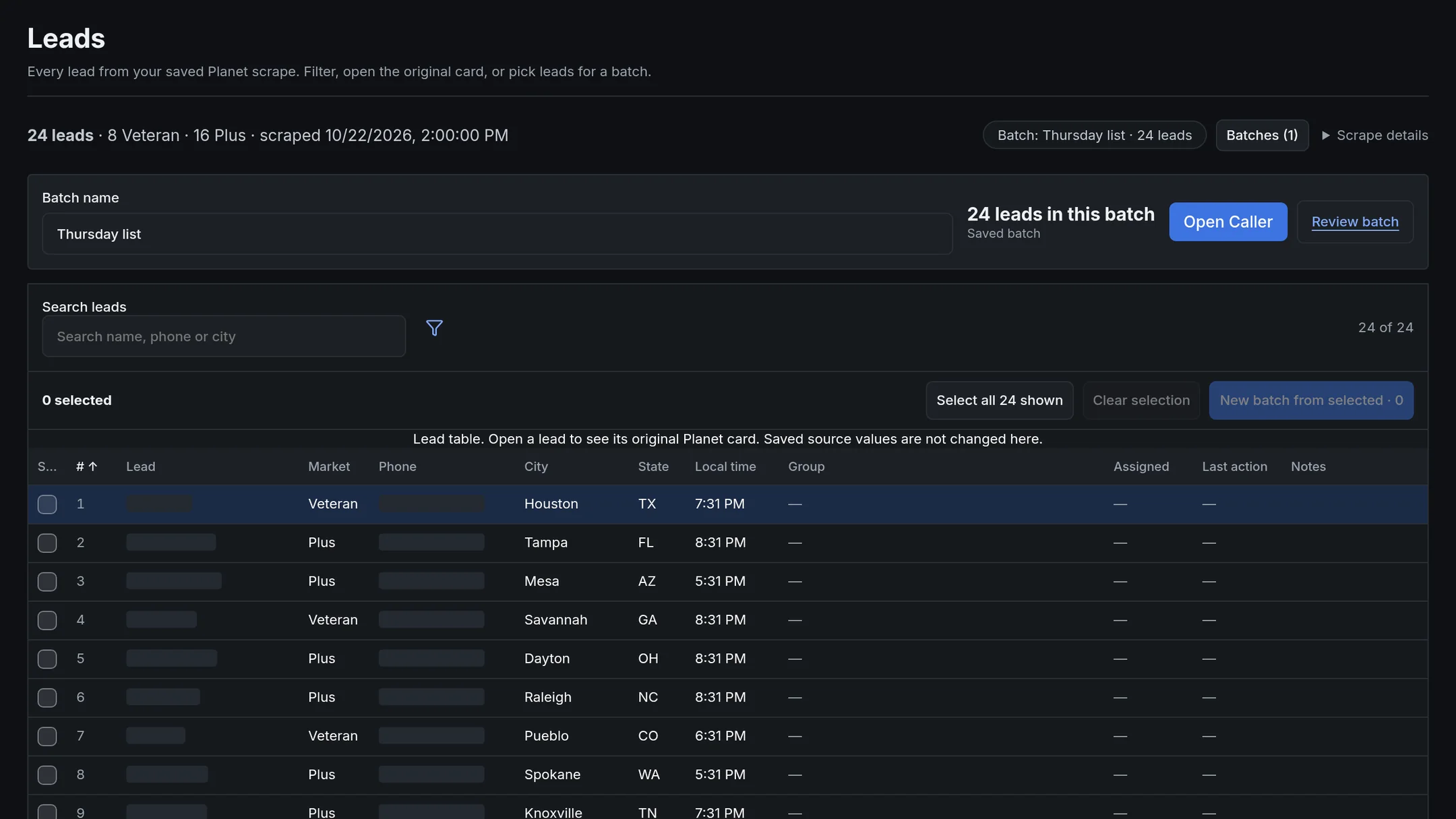
Only what exists is listed as available. The beta changes often.
GMT is an early, invite-only beta with browser calling, saved lead lists and call-result logging. Recruiting is still in development, and the beta changes often.
There is no open sign-up. Only people on the GMT invite list can create an account and sign in.
Sign in with the email address your invitation went to. First time? On the sign-in page choose “Set up your invited account” and pick a password. GMT only accepts emails on its invite list.
Sign inRequest beta access by email: who you are, your agency and which team would use GMT. Requests are read by hand. Sending one does not create an account or grant access; if you are added, the GMT team will reply with next steps.
Request beta accessOpens your email app, addressed to neumanic2@gmail.com.